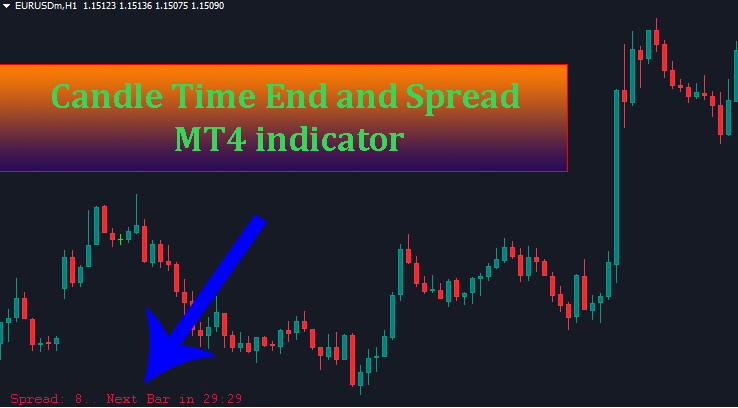
Timing is everything in forex trading. Whether you are scalping short-term price movements or waiting for a high-timeframe confirmation, knowing the exact moment a candlestick closes can make or break your entry. Enter the Candle Time End and Spread MT4 indicator—a powerful, practical tool designed to refine your execution and streamline your chart analysis.
In this guide, I will explore why the Candle Time End and Spread MT4 indicator is an essential addition to your MetaTrader 4 setup, how it protects you from common trading traps, and how to customize its settings for optimal chart organization.
Why You Need the Candle Time End and Spread MT4 Indicator
Many novice traders ask: “Why do I need a countdown timer when my chart timeframe is already fixed?”
While timeframes dictate the duration of each bar, market volatility means prices fluctuate wildly until the final second. Here is why incorporating the Candle Time End and Spread MT4 indicator into your daily routine is a game-changer:
1. Avoid the “Unclosed Candle” Trap (False Breakouts)
Key price action signals—such as Pinbars, Engulfing patterns, Morning Stars, or support/resistance breakouts—are only valid once the candle officially closes. Entering a trade even 5 seconds before the close exposes you to false breakouts. Price can violently wick back in the final seconds, invalidating your setup before the trade even begins.
2. Professional Time Management
Constantly checking your computer clock or mobile phone distracts you from analyzing the market. The Candle Time End and Spread MT4 indicator provides a real-time countdown in minutes and seconds directly on your chart. This allows you to plan your trading scenarios seamlessly or step away from the desk without missing key setups.
3. Essential Precision for Scalpers and Day Traders
For scalpers executing trades on lower timeframes like M1, M3, or M5, a difference of just a few seconds can drastically alter your risk-to-reward ratio. Having second-precise countdowns ensures you enter and exit market positions at the precise open or close of a bar.
4. Optimized News Trading
Economic news releases trigger massive spikes in volatility. Knowing exactly when a 15-minute or 1-hour candle completes helps you avoid opening positions during peak market noise, keeping your capital safe until direction is established.
5. Real-Time Spread Awareness
Knowing the current market spread is the most proactive way to avoid trading during periods of extreme volatility or low liquidity. During these times, spreads tend to widen significantly compared to normal conditions, making them best avoided.
Key Features & Customization
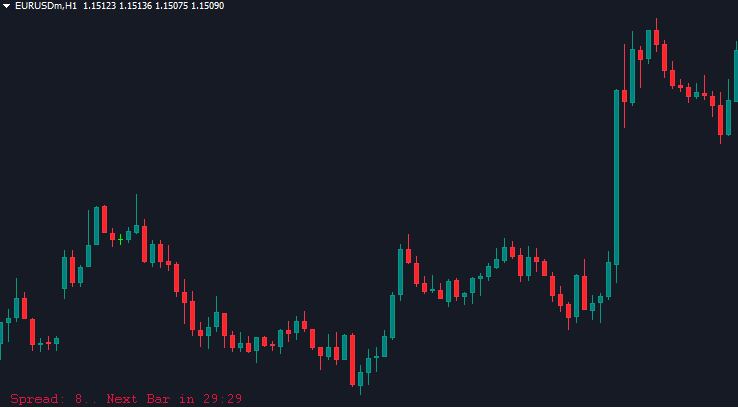
Unlike standard countdown tools that clutter your price action by floating right next to the current candle, the Candle Time End and Spread MT4 indicator keeps your charts clean by displaying information neatly in a designated corner of your screen.
Combining the candle timer and live spread monitoring into one single utility reduces the need to load multiple indicators, keeping your MT4 terminal light and fast.
Adjusting Parameter Settings
Configuring the indicator to fit your chart template is quick and simple:
-
Clock_Color: Customizes the text color for the timer and spread readout.
-
Color (Positioning): Controls where the indicator appears on your main trading chart. You can choose from 4 corner positions:
-
0: Top-Left Corner -
1: Top-Right Corner -
2: Bottom-Left Corner -
3: Bottom-Right Corner
-
Key Benefits of the Candle Time End and Spread Indicator
This is an indicator I personally really like and still use today. Unlike indicators that show the countdown right next to the current candle, this one displays it in the corner of your trading screen. Many traders prefer this clean layout, though others might prefer it next to the candle (after all, it comes down to personal habit and preference).
An added bonus of this indicator is that it also displays the current spread of the traded pair. Super convenient, right?
Parameter Settings
-
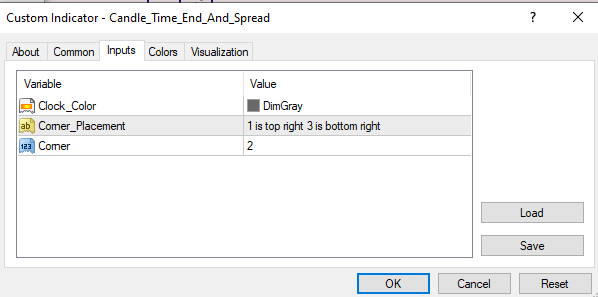
Clock_Color: Customize the color of the displayed time.
-
Corner: Adjust the position of the timer. There are 4 options corresponding to the 4 corners of your main chart screen:
-
0: Top-left corner -
1: Top-right corner -
2: Bottom-left corner -
3: Bottom-right corner
-