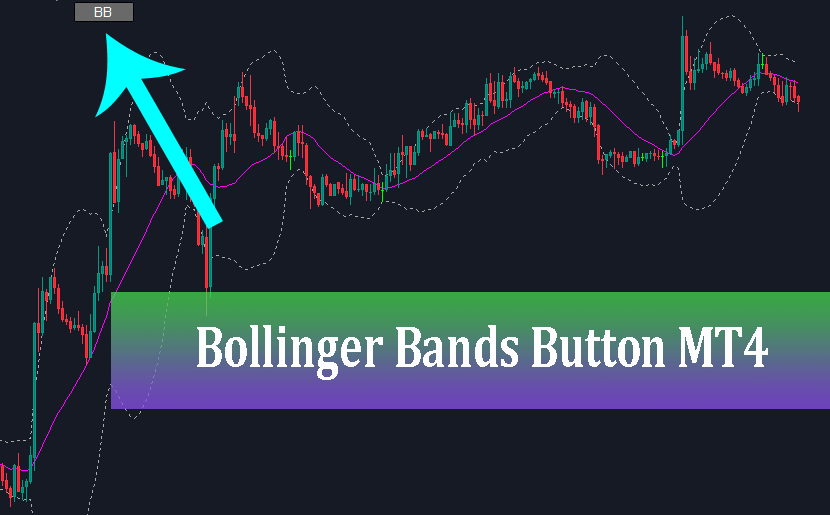
Bollinger Bands Button Indicator MT4 is a practical utility tool designed to create an interactive ON/OFF button directly on your MetaTrader 4 chart, allowing traders to instantly toggle the display of Bollinger Bands with a single click without cluttering their technical workspace.
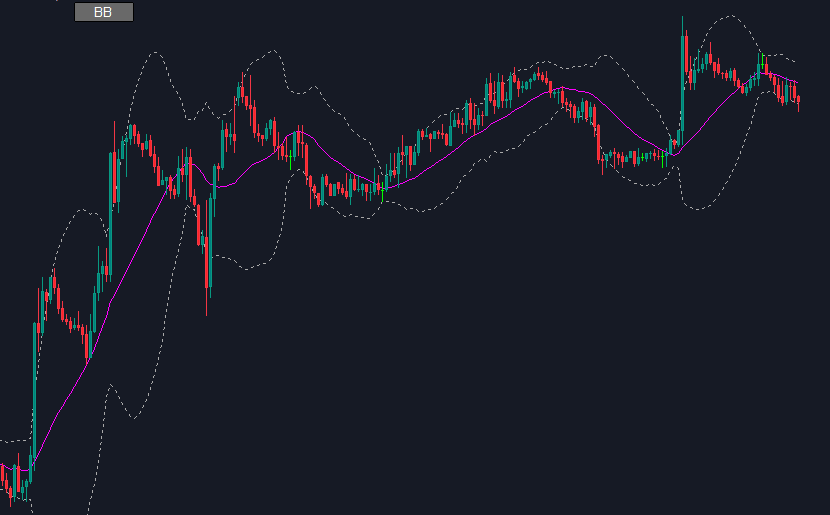
Whether you are a scalper analyzing multiple timeframes or a swing trader combining several technical tools, maintaining a clean and clear price chart is critical. The standard MetaTrader 4 (MT4) platform requires you to manually add, delete, or hide indicators through menu options—a repetitive task that takes up valuable time during fast-moving market sessions.
The Bollinger Bands Button solves this issue seamlessly by placing a discreet, customizable toggle button right on your main chart area.
What is the Bollinger Bands Button Indicator MT4?
The Bollinger Bands Button Indicator MT4 is a custom modified version of the classical Bollinger Bands indicator developed by John Bollinger.
While the original indicator plots an upper band, lower band, and middle simple moving average (SMA) directly over candlestick price action, the “Button” variant adds a lightweight graphical user interface (GUI) element: a clickable button (typically labeled “BB”).
When clicked, the button toggles between showing and hiding the three lines of the Bollinger Bands on your chart instantly.
Key Features
One-Click Toggle: Switch the Bollinger Bands overlay on or off instantly without opening indicator lists or deleting templates.
Decluttered Chart View: Keep your price chart clean for pure price action analysis, drawing trendlines, or identifying support/resistance zones without visual noise.
Full Parameter Customization: Customize periods, standard deviations, shift, line styles, colors, and applied price (Close, Open, High, Low, etc.) just like the original indicator.
Button Customization: Adjust button position (corner screen anchoring, X/Y coordinates), background color, text color, font size, and button dimensions to fit your custom chart templates.
Resource Efficient: Optimized code ensures smooth operation without slowing down MT4 execution or lagging chart rendering.
Why Every Trader Needs an ON/OFF Button Indicator
Visual clarity is essential for effective chart analysis. Overloading a chart with multiple indicators—such as moving averages, Fibonacci tools, pivot points, and volatility bands—often leads to “analysis paralysis.”
Using the Bollinger Bands Button Indicator MT4 provides distinct advantages for your daily trading routine:
1. Enhanced Price Action Clarity: Read candlestick patterns, market structure, and key support/resistance levels without the background distraction of outer bands.
2. Faster Decision-Making: During high-volatility news events or swift breakout setups, switching views in a single second allows you to confirm volatility squeeze or expansion instantly.
3. Multi-Indicator Workflows: If you use Bollinger Bands purely for entry confirmation or volatility evaluation (e.g., checking for band squeezes or touch points), you don’t need them displayed 100% of the time. Hiding them when not in use gives center stage to your primary trading signals.
Settings and Parameters Guide
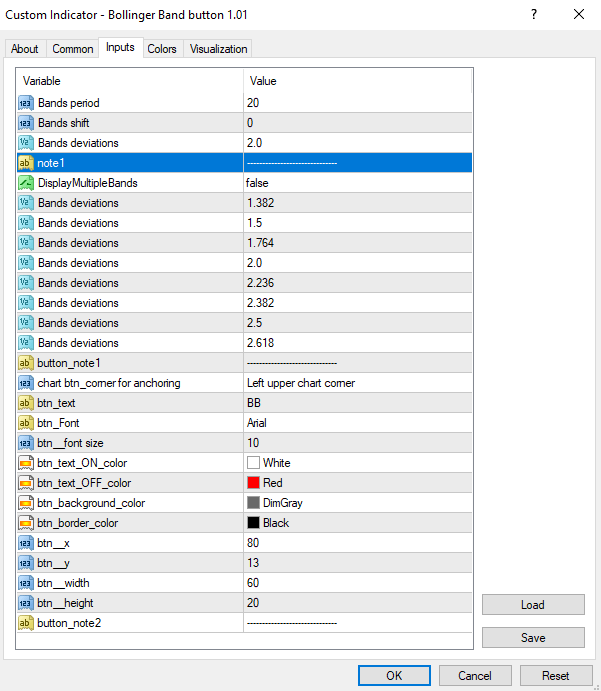
(I will provide the preset file (.set) at the end of the post.)
Standard Indicator Settings:
Bands Period (Default: 20): The period used to calculate the central simple moving average.
Bands Deviations (Default: 2.0): The standard deviation multiplier determining band width.
Bands Shift (Default: 0): Shifts the indicator forward or backward on the timeline.
Button Design Settings:
Btn_Text (Button Text): Custom label (e.g., BB, Bollinger, B-Bands).
Btn_x/ y: Fine-tune horizontal and vertical pixel positioning.
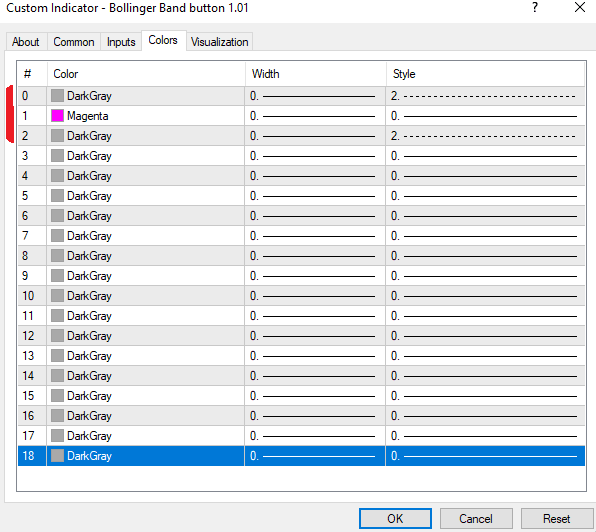
Bollinger bands setting:
You can customize the colors and line styles of the three Bollinger Bands lines. To achieve the look shown in the image, please refer to my settings:
Conclusion
The Bollinger Bands Button Indicator MT4 is an indispensable tool for technical traders seeking efficiency and clean chart organization.
By integrating a seamless ON/OFF toggle button directly into your chart window, it bridges the gap between comprehensive technical analysis and uncluttered price action reading.
Add this lightweight utility to your MT4 setup today to simplify your daily charting workflow.